
Reporting dashboards
Every channel, every lead, every dollar. One screen.
Ten data sources on one dashboard, updated daily, with revenue counted only from the leads the marketing brought in and compared against the same period last year.
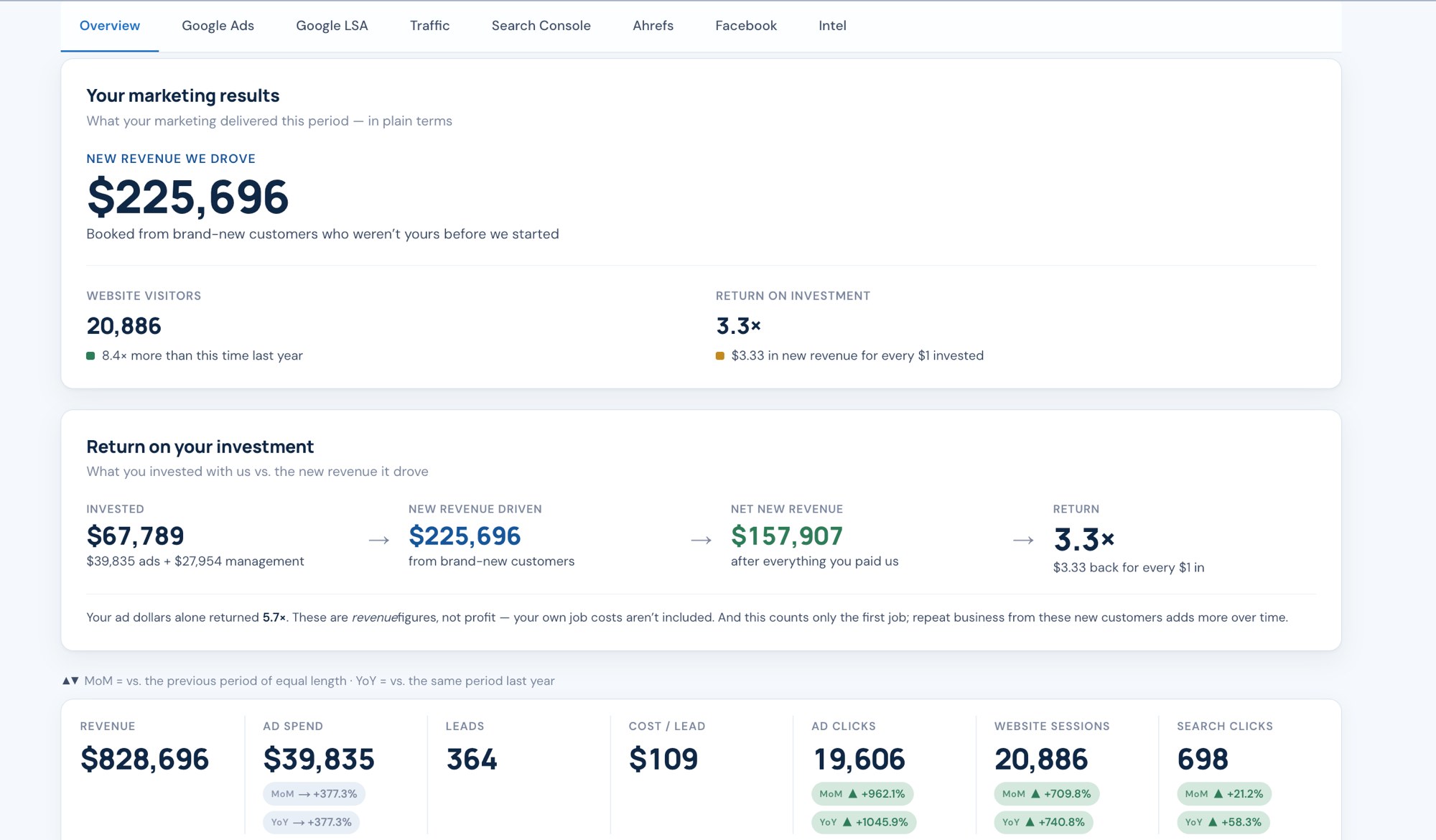
The overview tab a client sees when they log in. New revenue, return on investment, visitors, and the plain-terms version of each.
The tabs
What each screen answers.
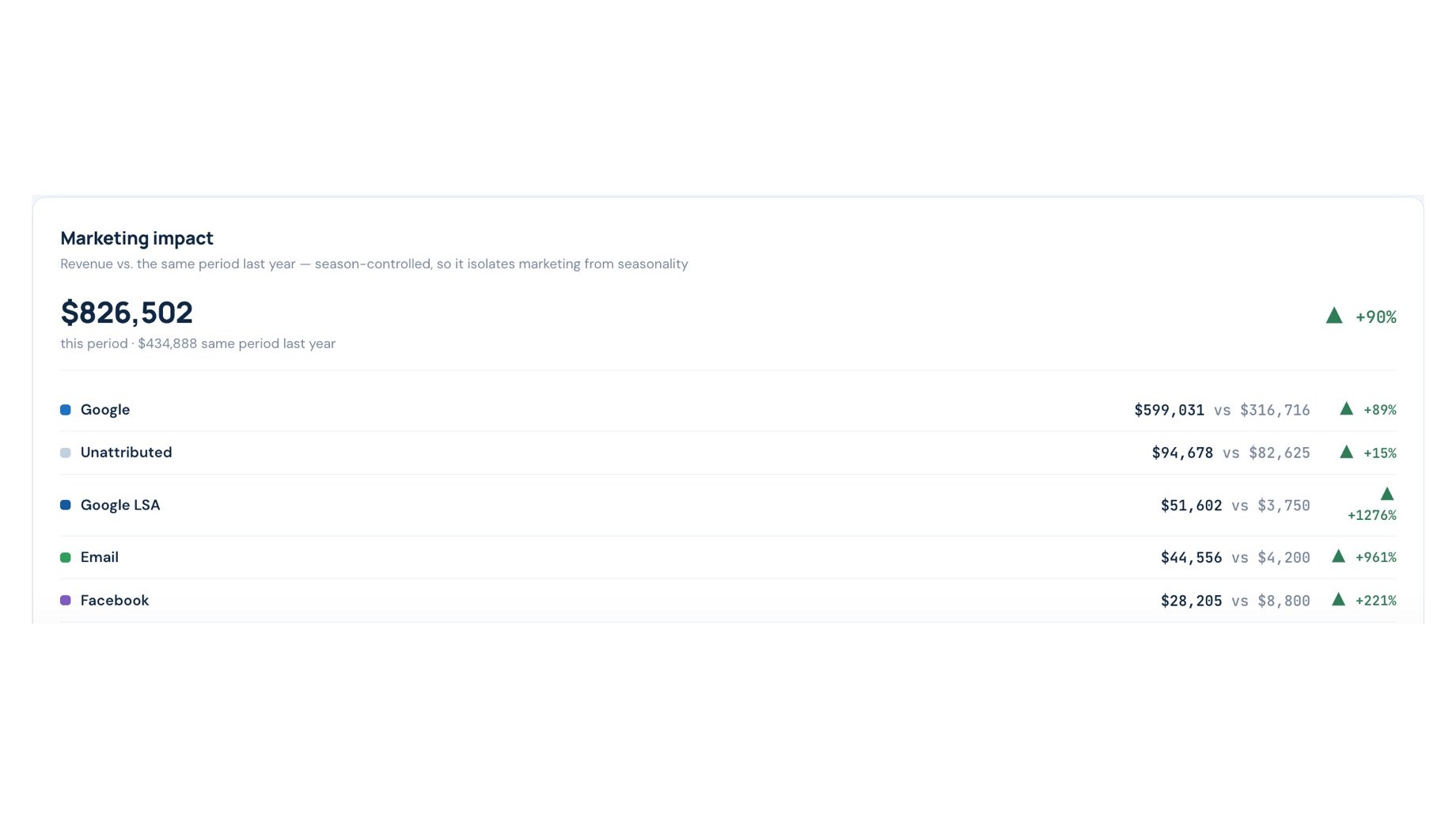
Is the marketing working, or is it the season?
Revenue against the same period last year, channel by channel. A good spring cannot take the credit for what Local Services Ads did.
● Season-controlled comparison
● Every channel with its own line
● Unattributed revenue shown, not hidden
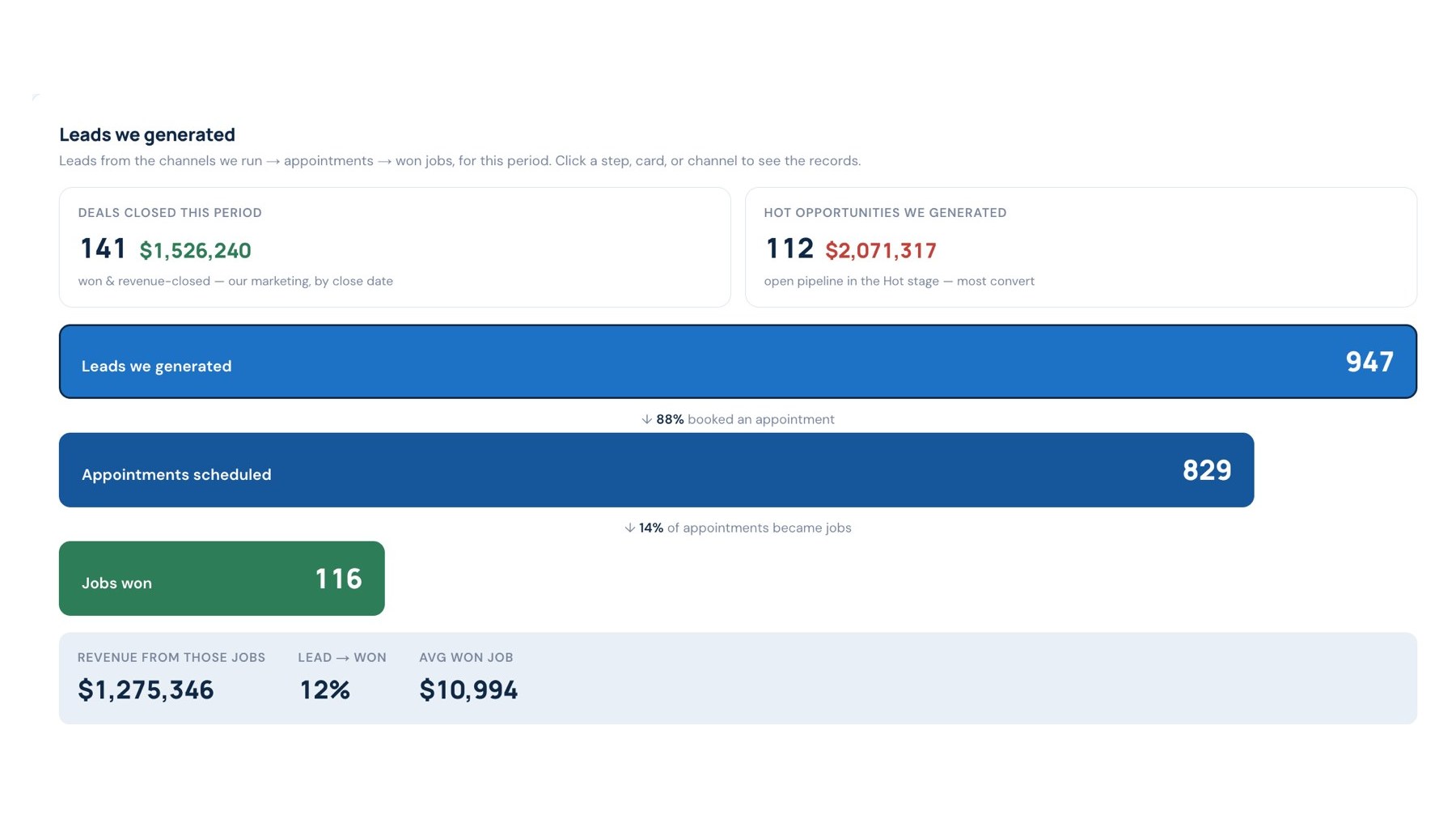
Which leads became jobs?
Leads we generated, appointments booked, jobs won and the revenue from those jobs, straight from the CRM pipeline.
● Booking rate and close rate
● Average won job value
● Open pipeline in the hot stage
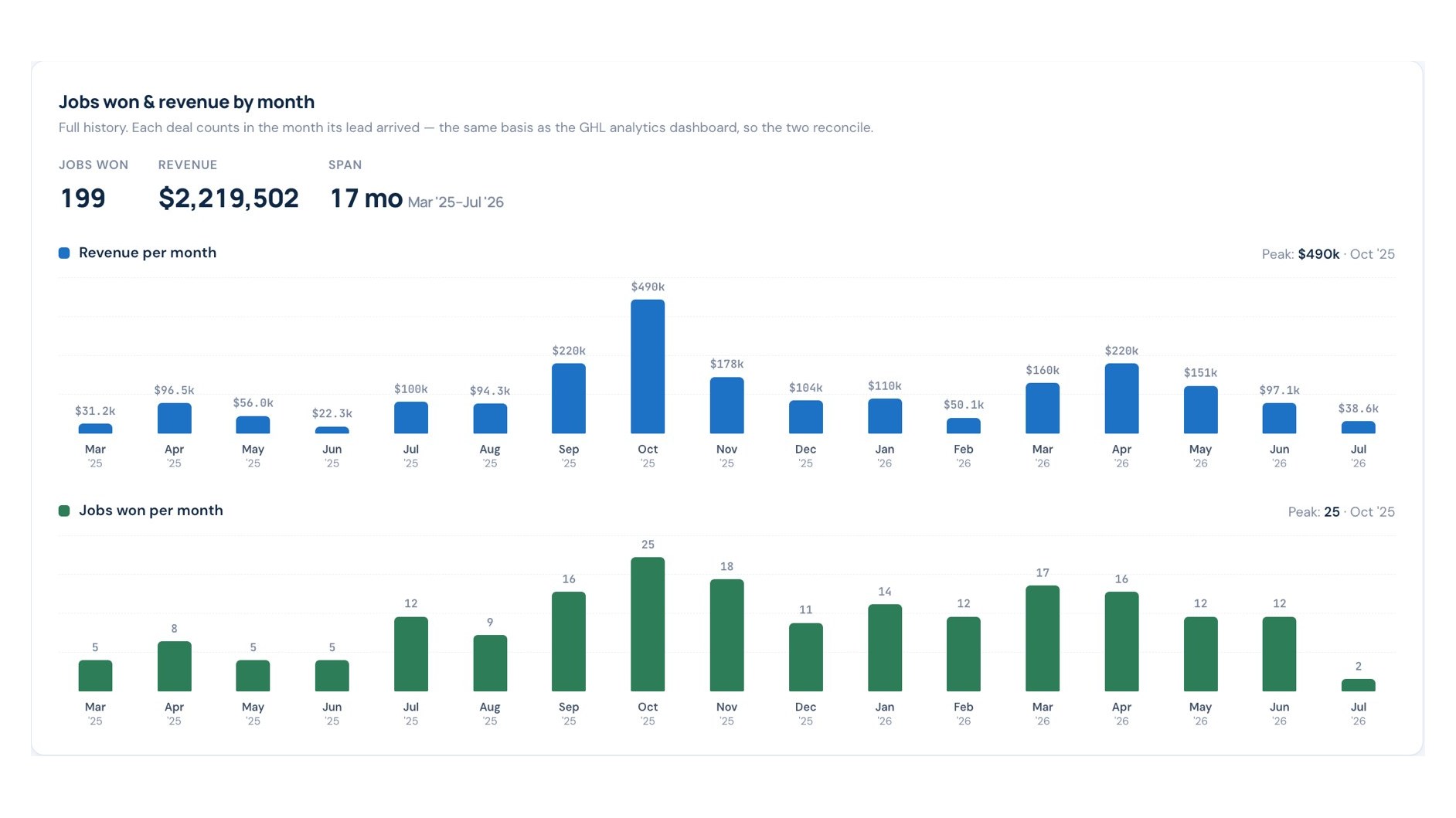
What did each month actually produce?
Jobs won and revenue by the month the lead arrived, so the marketing report and the sales report agree.
● Full history, not a 30-day window
● Peaks and slow months visible
● Partial month shown as partial
Sources
Ten feeds, one login.
Plus Facebook, Yelp, Nextdoor and Ahrefs where the client uses them.
Google Ads
Spend, clicks, cost per lead, conversions, by campaign.
Local Services Ads
Leads, disputes, cost per lead, charged and credited.
Website traffic
Sessions by channel, landing pages, phone taps and form sends.
Search Console
Queries, pages, clicks, impressions and indexing coverage.
Business Profile
Calls, directions, website taps, reviews and photos.
SyncShepherd CRM
Leads, appointments, pipeline stages, jobs won and revenue.
Questions
Straight answers.
Do I get a login?
Yes. Your own login, updated daily, and a share link you can send to a partner or a bookkeeper without giving them yours.
Where do the revenue numbers come from?
From the CRM pipeline, where every won job has a dollar value and a lead source. Revenue with no recorded source is shown as unattributed, not claimed.
Can I see last year?
Every headline number compares against the same period last year, and the history view goes back to the first month of data.
Is it included?
Every client on any plan gets the dashboard. It is how we report, not an add-on.
Start here
Send us the site and the city.
You get a written audit within a week, and a quote only if it makes sense. No contract for the audit. You get the PDF either way.
Local service businesses across the United States. Everything runs remotely.
Mon to Fri, 8:00 am to 5:00 pm PT